
To set up B2B ACH payments, choose payment processing software that supports ACH, read and accept its ACH terms, set up or connect a merchant account, then tell clients ACH is available and give them clear instructions. Most businesses can complete the setup during the software's onboarding.
1. Choose Payment Processing Software
Pick a platform that collects ACH payments securely on your website and walks you through setup. Look for:
- ACH alongside cards and digital wallets
- Payment plans and recurring billing
- Automatic invoices, receipts and reminders
- Payment reporting
- Strong security and compliance
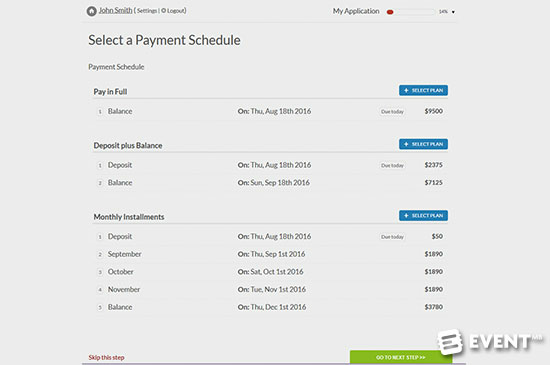
Regpack's online payment software accepts ACH, credit cards, Apple Pay, Google Pay, and Link Pay, offers payment plans at checkout, and sends an invoice automatically after each payment. Whatever you consider, attend demos and ask questions before you commit.
See your numbers
Get a personalized, no-commitment savings report.
Have a question?
Ask Regpack AI anything.
2. Review and Accept the ACH Terms
During setup you'll enter business details, such as your bank's routing and account numbers, and accept the provider's ACH terms. These usually cover bank account verification, ACH returns and customer authorizations. Stripe's ACH terms are a typical example. Have your billing or legal contact read them before you agree.
3. Set Up Your Merchant Account
A merchant account holds payment funds before they move to your business bank account. Your payment software will prompt the application during onboarding and tell you what to provide, typically tax ID, bank details, business address, website, contact details and supporting documents. You'll also choose a deposit schedule and payout currency. If you already have a merchant account, the software connects to it instead. See how to set up a merchant account in Regpack.
4. Onboard Your Clients
- Show ACH as an option at checkout and on invoices
- Ask your largest clients directly if they'd like to switch, and explain the benefits
- Suggest ACH when a client has a card payment problem
- Give clear, exact instructions on how to pay by ACH
Keep other options open too. Some clients will still prefer a card or a digital wallet. See the main B2B payment methods.
Frequently Asked Questions
Do I need a merchant account to accept ACH payments?
Usually you need an account with a payment processor that supports ACH. Your payment software will either set one up during onboarding or connect to one you already have.
Do clients have to authorize ACH payments?
Yes. ACH rules require the payer's authorization before you debit their account, and your processor's terms explain how to collect it.
What is the difference between ACH credit and ACH debit?
With ACH debit, you pull the payment from the client's account. With ACH credit, the client pushes it to you. More in ACH credit vs. ACH debit.