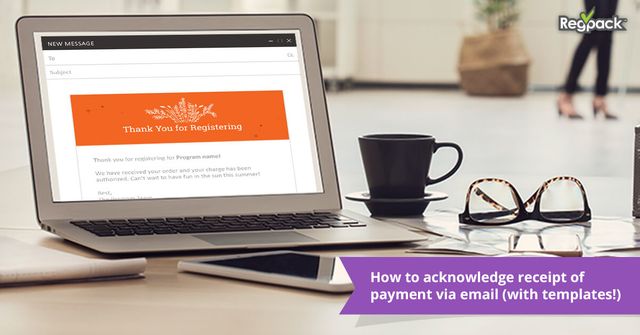
To acknowledge receipt of payment, send a short email the same day the payment clears that confirms the amount received, the date, what it was for and any remaining balance, then tells the payer what happens next. A clear payment acknowledgement email stops "did you get my payment?" calls before they start.
The templates below are written for programs that take payments from families: camps, schools, after-school programs, classes and events. Template 4 covers payments from a school, company or other client.
Key Takeaways
- Send the payment acknowledgement as soon as the payment clears, ideally automatically.
- Include the amount, date, payment method, what it covers and any remaining balance.
- Tell the family what happens next: the next installment date, or that their spot is confirmed.
- Use a subject line that says "payment received" and the program name.
- A payment acknowledgement email is a confirmation message; keep a formal receipt as the record.
See your numbers
Get a personalized, no-commitment savings report.
Have a question?
Ask Regpack AI anything.
What Should a Payment Acknowledgement Email Include?
A payment acknowledgement email should answer every question a family might call about. Include:
- The participant's name and the program or session
- The amount received and the date
- The payment method, such as the card ending in 4242 or ACH
- What the payment covered: deposit, installment, full balance
- Any remaining balance and the next due date
- What happens next, such as a confirmed spot or upcoming forms
- Who to contact with questions
Is a Payment Acknowledgement the Same as a Receipt?
A payment acknowledgement is a message that confirms you received a payment. A receipt is the formal record of the transaction, with itemized charges and reference numbers, that families may need for taxes, reimbursement or a dependent care account.
Many programs send both in one email: a short, friendly confirmation on top and the receipt details below or attached. For the receipt layout itself, see our receipt of payment template.
How Do You Send Payment Confirmations Automatically?
The easiest way to confirm receipt of payment is to have the email fire the moment the payment is recorded. In Regpack's online payment software, you write your own confirmation emails and set them to send automatically on payment events, such as a deposit, an installment or a final payment. Email automation is included depending on your Regpack plan.
Because registration and payments live in the same place, each payment is tied to the participant's record and payment plan, so when a family asks, your team can see what was paid and what is still owed in one place.
When Should You Send a Payment Acknowledgement Email?
Send a payment acknowledgement every time money arrives, as soon as the payment clears. For programs, that usually means:
- A registration paid in full at checkout
- A deposit that holds a spot
- Each installment on a payment plan, including autopay charges
- A payment made after a late notice or a declined card
- A partial payment toward an open balance
- A payment from a school, company or sponsor against an invoice
Card and digital wallet payments can be confirmed right away. For ACH or e-check, confirm when the payment settles so you never acknowledge money that later bounces.
Payment Acknowledgement Email Templates
Copy these templates and fill in the bracketed details. Keep the tone warm; this is good news for both sides.
Template 1: Payment Received in Full
Subject: Payment received: [Program Name]
Hi [Parent Name],
Thank you! We received your payment of [Amount] on [Date] for [Participant Name]'s registration in [Program Name]. Your balance is now paid in full and your spot is confirmed.
Next steps: [Forms to complete, packing list or first-day details]. Questions? Reply to this email or call [Phone].
Best, [Your Name]
Template 2: Deposit Received
Subject: Deposit received: [Participant Name]'s spot is held
Hi [Parent Name],
We received your deposit of [Amount] on [Date]. [Participant Name]'s spot in [Program Name] is now held.
The remaining balance of [Balance] is due on [Due Date] [or: will be charged in installments on the dates below]. We will send a reminder before each payment.
Thank you, [Your Name]
Template 3: Installment Received on a Payment Plan
Subject: Payment [Number] of [Total Payments] received
Hi [Parent Name],
Your installment of [Amount] for [Participant Name] was received on [Date] using [Payment Method]. You have paid [Amount Paid] of [Total], with [Balance] remaining.
Your next payment of [Next Amount] is scheduled for [Next Date]. No action is needed.
Thanks, [Your Name]
Template 4: Confirm Receipt of Payment From a Client
Subject: Confirmation of payment for invoice [Number]
Hello [Client Name],
This email confirms receipt of your payment of [Amount] on [Date] for invoice [Number], covering [Description, such as group registration for 32 students]. The invoice is now paid in full.
A receipt is attached for your records. Thank you for working with [Program Name].
Kind regards, [Your Name], [Title]
Template 5: Late Payment Received
Subject: Thank you, your [Program Name] balance is cleared
Hi [Parent Name],
We received your payment of [Amount] on [Date], and [Participant Name]'s account is now up to date. Thank you for taking care of it.
[Optional: The late fee has been waived as a courtesy.] Your next payment is due on [Date]. Please reach out anytime if a due date becomes hard to meet.
Warmly, [Your Name]
Template 6: Partial Payment Received
Subject: Partial payment received for [Participant Name]
Hi [Parent Name],
We received [Amount] on [Date] toward [Participant Name]'s balance for [Program Name]. The remaining balance is [Balance], due by [Due Date].
You can pay the rest here: [Payment Link]. If you would like to split it into smaller payments, reply and we will set up a plan.
Best, [Your Name]
Want confirmations like these to go out the moment a payment lands? See Regpack's payment emails in action.
What Subject Lines Work for Payment Confirmation Emails?
The best subject lines say "payment received" or "payment confirmed" and name the program, so families can find the email later. A few that work:
- Payment received: [Program Name]
- We got your payment, thank you!
- Payment confirmed for [Participant Name]
- Installment [Number] received: [Program Name]
- Confirmation of payment for invoice [Number]
What Should You Avoid in a Payment Acknowledgement Email?
Avoid anything that makes a family wonder whether the payment worked. Common mistakes:
- Sending it days later, after the family has already called.
- Leaving out the remaining balance on a payment plan.
- Mixing in a sales message or unrelated announcements.
- A vague subject line like "Notification" that looks like spam.
- No contact name or phone number for questions.
- Sending from a no-reply address with no other way to respond.
Why Does Confirming Payment Matter for Programs?
Confirming payment quickly cuts phone calls and emails to your office, especially in peak registration season. It also builds trust: a family that sees their deposit acknowledged within minutes feels confident about the program.
For payment plans, each confirmation is also a quiet reminder of the next due date, which helps installments stay on schedule.
How Regpack Helps With Payment Acknowledgements
Regpack is registration and payment software for camps, schools, after-school programs, classes and events. For payment confirmations, that means:
- Payments are built in, with credit cards, ACH, Apple Pay, Google Pay, PayPal, and Link Pay.
- You write your own confirmation emails and set them to fire on payment events. Email automation is included depending on your Regpack plan.
- You decide which payment plans, deposits and billing dates families can choose, and reminders go out before due dates.
- Real-time reports show payment-plan status per installment and export to CSV or PDF.
- Full and partial refunds keep an audit trail.
If your team spends peak season answering "did my payment go through?", see how Regpack handles it.
Payment Acknowledgement FAQ
How Do You Acknowledge Receipt of Payment?
Send a short email or letter that confirms the amount received, the date, what it covered and any remaining balance. Thank the payer and tell them what happens next.
How Do You Confirm Receipt of Payment by Email?
Use a subject line like "Payment received: [Program Name]", then state the amount, date, payment method and what it was for in the first two sentences. Add the remaining balance, next due date and a contact for questions.
What Is a Payment Acknowledgement?
A payment acknowledgement is a message confirming that a payment was received. It reassures the payer and gives both sides a written record of the date and amount.
What Is the Difference Between a Payment Confirmation and a Receipt?
A payment confirmation tells the payer their payment arrived. A receipt is the formal transaction record with itemized details, and many programs include both in the same email.
What Do You Say When a Payment Is Received?
Say thank you, confirm the amount and date, and explain what happens next, such as a confirmed spot or the next installment date. Keep it short and friendly.